Cloud EMR, practice management & billing for independent practices and medical groups

Login Help
Reset your username or password
Everything starts on your practice’s login page, for example ahealthcare1234.onetouchemr.com. Don’t know your address? Find your Account ID
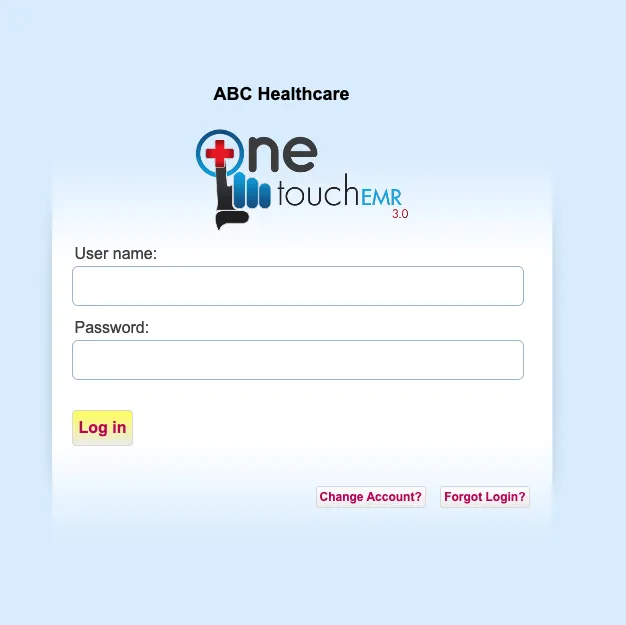
1Open your login page and click “Forgot Login?”
Go to your practice’s login address and click the Forgot Login? button in the bottom right corner.
2Forgot your username?
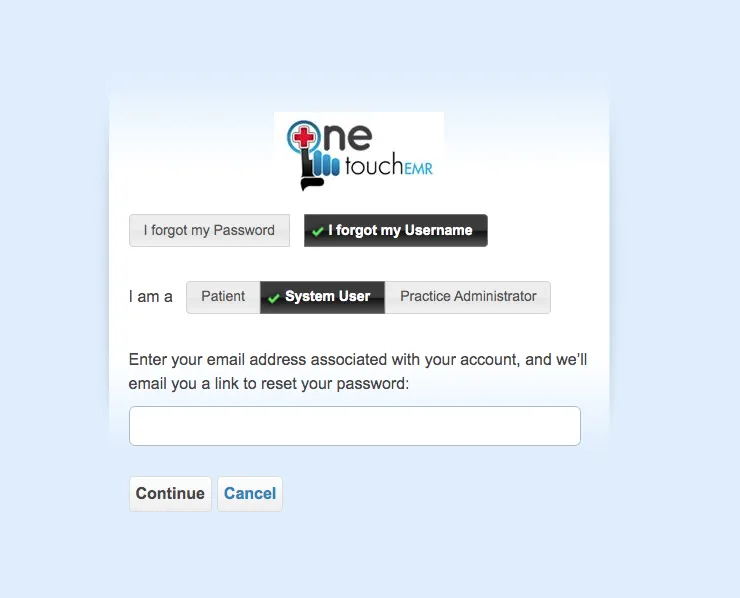
- Choose I forgot my Username.
- Select your user type: Patient, System User or Practice Administrator.
- Enter the email address on your profile. We’ll email your username.
Patients: please contact your provider’s office for help with your login.
2Forgot your password?
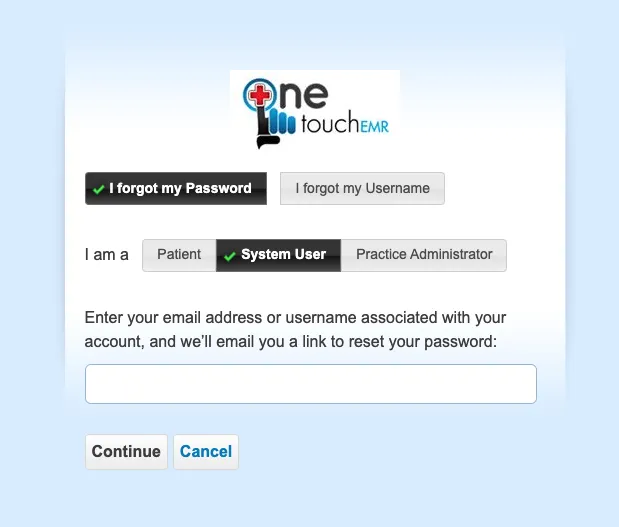
- Choose I forgot my Password.
- Select your user type.
- Enter your email address and we’ll send a password reset link.
Your Practice Administrator can also reset your password for you.
Still stuck? Send us a message
Tell us what’s happening and we’ll help you get back in.
Need a hand? Call 800-418-6824